INDIE WRITING TIPS: The Final Edit – How are your IDEAS presented?

rules4writers

Most writers have a propensity toward one particular element of fiction writing more than others. Some can spew action and dialog effortlessly, others render amazing descriptions which create vivid, memorable mental pictures, while others possess a narrative style as smooth as silk. What comes naturally and easily, however, is not necessarily enough to round out your story. What you want to achieve for the best possible impact and reader satisfaction is balance.
I’m one of those who finds action and dialog the easiest to write. If I can get my characters talking they will often take over the story and leave me as the observer, essentially taking dictation. Piece of cake. But talk alone does not a novel make. While I don’t want to interrupt the flow when I’m on a roll (or perhaps in this case, role) at some point I need to go back and fill in the blanks, sometimes multiple times, as I review each chapter for the proper balance. What do I look for? I remember them with the acronym IDEAS.

I = Imagery
D = Dialog
E = Emotion
A = Action
S = Suspense

IMAGERY

Stories don’t take place in a vacuum. They need to be grounded with a sense of place whether it’s the distant past, present, faraway future or any geographical location you can think of. Furthermore, modern culture is visually oriented, making this a critical element. Drawing in your readers so they can see the story in their mind is essential.

Descriptions don’t need to be long; you don’t want to run the risk of being verbose and, heaven forbid, boring. If your story is set in a familiar place like a well-known city, mentioning specific landmarks is an easy way to create a sense of place. Historical novels require enough description to take the reader back in time. Include plenty of reminders to differentiate life then to now. For example, your character from 1840 can’t text via i-phone, it will need to go via Pony Express or private messenger which could take weeks or months to arrive. Emphasizing challenges we no longer face in modern times helps convey the reader to that time and place.

Remember that imagery includes all the senses, not just vision. Sounds, scents, touch and taste all bring strong impressions as well. Think of things which are familiar to most readers such as the sound or smell of rain, colors and smell of autumn leaves, the crisp chill of the first frost, the sounds of summer whether kids playing in a pool or cicadas, or even the din of city traffic. The more senses you can call upon the more memorable and vivid your description will be.

DIALOG

Dialog moves a story along quickly as long as the conversation is relevant. This applies to not only the story’s plot but character development as well. You can often fit other descriptions into your dialog such as the character’s expression, body language and so forth, even things like the color of their hair or eyes.

Straight dialog with no break can get tedious as well unless it’s an extremely intense conversation and even then some description can make it even stronger. Tone of voice, e.g. angry, sad, cheerful, etc., or how you would describe the actual sound of their voice contribute to your means of character development. A simple statement like “his voice cracked with emotion” sends auditory as well as emotional input.

EMOTION

If you don’t grab your readers emotionally they are less likely to remember your story. Like they say, people won’t remember what you say but they’ll remember how you make them feel. Without it your story is essentially lifeless. Life is all about emotions and if there aren’t any in your story then you may not have a story, at least not one that anyone will connect to and remember. You may have felt it when you wrote it but will your reader?

Of course you don’t want to get all sappy, sticky and sentimental, either. This is where showing as opposed to telling comes in. “She felt sad” is pretty shallow compared to “her heart ached with loneliness.” Think of the physical symptoms typical of the feeling you want to describe and start there. The heart is the center of emotion and is a good place to start. Memories are stored in the heart as well as your brain which has been proven through the experience of heart transplant patients who suddenly acquire habits and other characteristics of the donor, such as their favorite food. This further shows why making your readers feel something is important. Laughing and crying represent two reactions which will make you and your story memorable. As a reader myself if a book can make me do both it’s a definite winner. I remember books I read years ago because they made me laugh or cry, even if I can’t remember exactly why.

This can be something that’s not as easy to include as action and dialog. As you’re writing you’re no doubt thinking of the relevant emotion but don’t take it for granted your readers will feel it unless it’s pointed out, preferably in a smooth, integrated way that is informative but not distracting. Clearly if someone is yelling and saying harsh words then anger is obvious but throwing in a few physical effects drives it home.

If this is difficult for you I suggest you take each of your characters and list the emotions that he or she will experience during the course of your story. Then, one by one, make a few notes of how you can bring them to life.

ACTION

Action can occur on various levels. It can be physical, mental, psychological, or emotional. It’s what moves your story along its intended plot line(s) and keeps your readers engaged and turning the pages. What are your characters doing? What is going on around them causing them to make decisions and take action? Something needs to be happening. Similar to emotion, the more types of action you include the better. Some genres will emphasize one more than others but including the entire spectrum gives your story more layers and complexity. What are they doing, thinking and feeling?

Physical action sequences shouldn’t be interrupted with long periods of internal dialog. If your hero is in the middle of fighting the antagonist or a dragon the description of the battle itself is of prime importance but this includes what your character is experiencing such as straining muscles, the impact of a punch, fatigue, fury, fear, etc. Don’t forget to throw in the other senses as well for added emphasis, e.g. the smell of blood and sweat.

SUSPENSE

Some authors have a natural flair for suspense which is often the single most important factor in writing a real page-turner. If your readers don’t wonder much less care what’s going to happen next then they’ll probably never finish your story. You want to keep them wondering how your character is going to get out of his current dilemma.

Even stories which aren’t technically in the suspense genre need it. The type simply differs depending on whether it’s a romance novel, a psychological thriller, murder mystery or any other fiction genre you care to name. There needs to be some sort of danger hanging over your character’s head which could drop at any time.

Don’t keep your readers in the dark and spring something on them out of the blue. You can actually build more suspense by telling them more about the looming threat versus not enough. Sprinkle a generous portion of clues and red herrings throughout to keep them guessing, regardless of genre. Your goal should be to master the art of writing a book your readers can’t stand to put down.

CONCLUSION

The purpose of this blog is not to tell you how but rather provide a simple checklist for when you do that dreaded final edit. While every chapter may not include all of these elements, the more you can fit in the better. Improving your craft requires stretching beyond what comes naturally and polishing it to perfection.

[NOTE:– If you have a favorite author who does a particularly outstanding job in any of these categories feel free to mention them as well as their books as examples for us all to learn from.]

Tips for Indie Writers: How to Create Your Own Book Trailer with Power Point

booksinboxBook trailers have become a popular means to draw attention to your book. The main advantage they have over other types of promotional material is their ability to include sound, specifically music. As I’m sure you’re aware, music can set a mood quicker than anything else and reaching a person at the emotional level helps prepare them to receive and accept your message. You can hire a professional to create a trailer for you or you can put one together yourself. If you have Microsoft Office then you should have Power Point which is the only software you need to create a simple but effective video trailer. Besides that you only need three things:

  1. Background picture
  2. Music
  3. Catchy phrase, quote or other hook

Yes, it really is that simple to get started. Don’t worry, I’m going to take you through the process, step by step.

Background Picture

This should be something that relates to your book. It shouldn’t be too busy, though, because that might distract from your written message. I would in most cases avoid people unless the focus is on that character alone. For your first one, keep it simple. If you try to get too fancy on your first try you’ll probably get frustrated and perhaps give up.

Using the background from your book cover is one option or even a generic photograph that relates to it in some way. For example, if your book is set in a specific city like New York, San Francisco, Chicago, St. Louis, Paris or some other easily recognizable skyline that will work. If it’s set in the country, a nice country landscape; near a beach, a nice oceanscape, etc. This is your first step toward creating a mood that fits the setting of your story. It should be a bit muted, however, so there is adequate contrast between it and your writing. Don’t worry if it’s not, however, because Power Point can help tone it down.

Music

For me this is the fun part. You’re probably thinking this would be a difficult, lengthy, daunting and potentially expensive task. WRONG! There is a website out there that is so perfect for this you’ll probably be as amazed as I was. Go to http://incompetech.com/music/ and click on the tab that says “Royalty Free Music.” Yes, it’s free! And it gets better. Click on the option “Full Search.“ What you find will blow your mind. On this page you can tell it exactly what you’re looking for by genre or even by “feel.” Make your choices, click “search” and it brings up a variety of choices which you can listen to there and download with a single click. If you like it, even if it doesn’t exactly fit the project you have in mind, save it for future use. I found so many I liked that it was actually difficult to choose which one to use.

If you love music like I do you may find yourself spending a whole lot of time on this page. Bear in mind the mood you want to set for your book and stick to that so you don’t get too overwhelmed. I would choose no more than a half dozen pieces to start with.

After you’ve downloaded your selections take the time to listen to them, start to finish. Take some notes on the timing of the song’s dynamics such as when it’s slow and quiet or loud and booming. More than likely the song is longer than your video is going to be so you’ll want to select the portion that drives your message home. Don’t worry about transitions, Power Point gives you options to fade in and out which I’ll get to later.

If you don’t feel like listening to it and taking notes that’s okay because there’s another option. When you get the song into Power Point you get a visual that gives you an idea what the music is doing. This little strip that looks like a graph gives you an idea where the quiet and loud places are so it can be used, too. And Power Point will also allow you to select a specific portion. You probably want to keep your video to around a minute long, not only due to people’s short attention spans but also to keep the file size under control.

Catchy Phrase, Quote or Other Hook

This could be the easiest or most difficult part. Some authors can spew out titles that have no story behind them while others can’t figure one out for their thousand page manuscript. As an author I have the most trouble with book blurbs. You know, those two or three paragraph descriptions you put out on Amazon describing your book. Some people are better at writing them than their novel, which may not meet the expectations set up in their blurb. Others are the opposite and can write a great book but a lousy blurb. Coming up with these zingers will thus be easier for some than others.

One place to start is the basic theme of your book. If you Tweet about your book many of those catch phrases are perfect! If you’re lost go to the Goodreads website which contains various little ads and trailers for ideas. If you’re an author then you’re creative by nature and these should provide enough fodder to get your creative juices flowing. Don’t worry if what you come up with sounds a little boring. When you combine it with the right music it will work!

Another thought to bear in mind is that, like poetry, you can leave words out for effect. Your message will be presented slowly with the help of all those other marvelous effects which allow the viewer to fill in the blanks. You don’t want it to be wordy. This is another case where less is more.

Putting it All Together

Okay, now you’re ready to roll and get to the fun part. I’m going to talk you through the process step by step so you don’t experience a learning curve akin to climbing Mount Everest.

1.  Open Power Point and select the first option, “Blank Presentation.”

2.  Go to the “Layout” drop arrow in the second box from the left and select “Blank.” I find it is easier to add a text box than mess with their standard layouts but you can use them if you like. Note that in that same little box with the “Layout” arrow is an option called “New Slide.” Remember that because that is how you add pages.

3.  Now click on the “Design” tab and go all the way to the right where it says “Format Background.” From the options that come up choose “Picture or Texture Fill.” You’ll see an option to choose a file. Go and find your background picture and add it. If it needs to be muted you can use the “Transparency” option on that same screen to tone it down. When you’re happy with it click the “Apply to All” button at the bottom, assuming you want the same background for the entire video. If not you will simply go through this same process to add the background to each slide.

4.  Click on the “Insert” tab in the menu bar and then the “Text Box” over toward the right. This is a click and drag feature to create a box where you will put, you guessed it, your text.

5.  Select your font next. Fonts are important and part of the “feel” of your video! Take some time to try out several until one simply grabs you. Avoid the fancy ones that distract from the message. This is another dimension of your message. If it’s bold and forceful, then choose an appropriate font. If it’s a soft and sweet message then use an appropriate font, perhaps one of the scripts. If it’s a horror or mystery story, see which one fits. Seriously, the font is important. It adds punch to your message. All of these elements combine to give the viewer more than information; you want it to be an experience! Choose the color just as carefully. Colors send messages as well with red forceful and aggressive, green a more relaxed impression, yellow demands attention and so forth. With a slightly dark background even white can be effective.

6.  Add your text. Don’t put too many words on each page. You want the words to sink in while the font and music further emphasize it. Make sure the font is big enough to read easily. In most cases the video is probably going to be viewed on Facebook or Goodreads which is not full screen so you need the letters to be big enough to still be readable when the video is shrunk down to a size not much bigger than a post-it note. There is probably some way to set a default font but I have not been able to find it. Thus, unless you can solve this mystery you’ll have to choose the font and size with each slide. If you figure this out I would love to hear back how to do it!

7.  A general guide for what to include is to say your piece, flash a picture of your book up there with the title, add another zinger, then conclude with where your book is available. If they remember your title they’ll be able to find it if you just mention Amazon, Barnes & Noble, Smashwords, CreateSpace or wherever. Links won’t work in a trailer.

8.  Now it’s time for the fun part, adding your music! To do that go back to your first slide, bring up the “Insert” box, then find where it says “Audio” all the way over to the right. Choose “Audio from my PC” in the dropdown and select your music file.

9.  Go to the top menu bar and select “Play in Background.” If you don’t you won’t be able to hear it.

10.  Select the “Fade Duration” menu box and add some time for the music to fade in and out. Start with around 5 seconds; you can always adjust it later.

11.  Estimate around 4 or 5 seconds for each slide to start, multiply that times your number of slides and figure out about how long your music clip needs to be. It’s good to start slowly and then speed it up as you get a better feel for the process.

12.  Now hit the “Trim Audio” button and that graph I mentioned earlier that represents the song’s dynamics will appear. You can now select where you want the music to begin and end. This is where your notes can come in handy but you can also adjust it by simply listening to it. If you like particular section that you want to loop and repeat it will do that. In fact, if your clip isn’t long enough for the timing to setup then the music will loop back to the beginning. Sometimes it takes quite a bit of practice to end the slideshow exactly when the music ends.

13.  Select “Slide Show” and then “Rehearse Timing.” Your slideshow will come up on the screen and you advance the slides with a click of the mouse. Try to click with the meter of the music. The stronger beat it has, the easier this is to accomplish. When you get to the end it will tell you how long the slideshow lasted and ask if you want to save it. If you do you can play it back with the button on the far left that says “From Beginning.” This will give you a feel for where you are so far. If you know you didn’t like it you can just go back to “Rehearse Timing” and do it again. You can start out slow as you get the hang of it but don’t want it to be so slow in the final version that it allows the viewer’s mind to wander. Right around a minute usually works.

14.  To go back and adjust the music, find the “Audio Tools” box highlighted along the top of the screen toward the right. “Playback” brings back the screen where you can adjust your fade in and out time as well as the clip itself with the “Trim” option. You want to time the crescendos with the statements you want to emphasize. The words need to bear some resemblance to the rhythm of the music. If the timbre of the music fits the words as if they are lyrics all the better. Don’t be surprised if this takes a substantial amount of tweaking until you’re satisfied. You may want to start out with a slow piece until you get the hang of things.  If the “Audio Tools” box at the top ever disappears you can bring it back by going to the first slide and clicking on the speaker icon.

15.  If you don’t like the audio and want to try another clip you need to delete the first one by highlighting and deleting the speaker icon with the “delete” key. Bear in mind you can add multiple soundtracks on top of each other if you want but that is once you become an expert. My point is if you don’t delete this one then both of them will play and it will sound weird to say the least. When you add another track you need to select “Play in Background” again. If you don’t hear anything, you forgot. During this stage you may come up with some editing ideas for your text as well. Note that after a heavy soundtrack silence is powerful as well for your ending. I suggest playing it back with a few different soundtracks and note how it changes the impact. Music with a good mixture of quiet and loud passages works well when you time them to add emphasis to key parts of the presentation. For example, when you show your book cover a big crescendo gives it extra punch.

16.  By this point you should have a very basic slide show. Now you get to have even more fun by adding special effects such as fading in the words and various other fun things. You can add multiple ones but they can also get confusing and mess up your timing when you rehearse since each effect will require a click of the mouse. Go to the first slide, highlight the words, and click “Animations.” Ignore all those symbols that pop up and go instead to the little box toward the right that says “Add Animation.” A big box will come up that shows all those cute symbols but now you can choose how the words come in, present, and leave. Toward the right on the menu bar you can decide how long each one should last. The one coming in will show in green and the exit effect will show in red. While you’re in editing mode the effects you add will show on the slides numbered in the order they occur. If you click on those little boxes it takes you to the screen where you can adjust the timing or change the effect.

17.  After you’ve added the effects you want for each statement, go back to “Slideshow” and rehearse your timing again. Note that you must click the mouse for each effect! For example, you will click to fade in, fade out and advance to the next slide, then click to initiate the first effect, etc. Be sure to allow each effect to finish before clicking. You may need to adjust the timing accordingly.

18.  During the slideshow rehearsal phase note the timer in the upper left-hand corner of the screen which tells you how long that slide has been up as well as the total time. Once you are happy with the timing you can use the total time to fine tune your music clip.

19.  I hope you’re familiar enough with working on a computer to realize you should have been saving along the way. Once it’s finished to your satisfaction you will not only save the final slideshow but you will also do a “Save As” which will convert it to a video. You can save it in either mp4 or wmv format. I do both since some applications prefer one or the other. It will ask you about embedding the music when you save it as a video. Be sure to do this or your sound won’t be there.

20.  Posting to Facebook is as simple as posting the YouTube link. To include your masterpiece on your Goodreads author site you first need to post it to YouTube. After you’ve accomplished that, you will click the “share” button, then the “Embed” option (check the box for the old code) and use that on Goodreads. YouTube will also give you a URL link to your video which you can use wherever you like. For your website you can either link directly to the file you created so it can be viewed there or link to YouTube. Browsers differ in their ability to display them so it’s a good idea to do both. YouTube allows you to choose which slide to show as the thumbnail. If you’re good at html programming or have a professional webmaster they can probably spiff it up.

Here are links to some of the ones I’ve created. I’m still learning as well and look forward to checking out the various other effects Power Point offers. As I get more experienced I’ll probably redo these but these will give you the idea.  I find this creative outlet a lot of fun as a break from writing and another wonderful way to showcase your work to the world. Since most of the authors I know are on a budget it can also save you a few promotional bucks to use somewhere else.

(These links were updated March 2017)

Beyond the Hidden Sky: https://youtu.be/zt7qgTWZFW4

A Dark of Endless Days: https://youtu.be/2xcJrWrJ_nU

A Psilent Place Below: https://youtu.be/-t4NYVBe6FM

Refractions of Frozen Time: https://youtu.be/DMuT0JZu7Os

Entire Tetralogy: https://youtu.be/MsTrKf_66ak

(Coming Spring 2017) The Terra Debacle: Prisoners at Area 51: https://youtu.be/Ti4l88V7Y58
Earthly Tips for Indie Writers (and Editors, too)

20110912_002

If you’re familiar with my blogs you already know that I’m a details freak. I believe that getting them right can make or break a story because as soon as something doesn’t ring true the spell you’re trying to cast is broken. When I see the same mistake in two different books by two different authors it sends up an alarm which implies that particular bit of knowledge may be missing at a more pervasive level than a simple oversight by one uninformed or possibly distracted author.

As I think about it, it’s very possible that the subject of my rant du jour was never specifically taught past grade school, if then, considering the current state of education. Ironically, most of these facts surround you on a daily basis if you’re paying attention. If you weren’t before, I hope this will motivate you to take note whether you’re an author or an editor. Maybe an author caught up in an inspired run of prose dictated by his or her personal muse can be excused for missing a few mundane details. Editors who let such things slip by should be ashamed of themselves.

Sunrise, Sunset

Most novels incorporate the magic of at least one sunrise or sunset. Not only is it something everyone can relate to and thus draw them into the story, it also operates at the subconscious level as an archetype for a new beginning or ending, respectively. If I’m reading your story and you’re describing watching a sunset over the Atlantic Ocean I sincerely hope that your protagonist is viewing it from Bermuda, perhaps somewhere in Europe or the west coast of Africa. Conversely, if he’s watching the sun rise over the Pacific, I truly hope he’s in Hawaii, a South Sea Island, Japan, Australia, etc.

Why?

Because for those of you who haven’t noticed, perhaps due to living in a city or mountainous region where the horizon is obstructed, the Sun rises in the East and sets in the West. Seriously. Every day, with some seasonal variations I’ll get into later. Thus, unless you do some serious geographic gymnastics with your setting (no pun intended) they are not going to be watching both a sunrise and a sunset over the same body of water, at least from the same location. People on an island could of course see both as well as those onboard a ship at sea but they would have to change locations, or at least the direction they’re facing. Get the picture?

Seasons

Seasons are another archetype used to emphasize a sense of timing or even a phase of life. Most locales have seasons which bring some weather variation (unless they’re along the equator) though many don’t conform to the stereotyped four, i.e., spring, summer, fall and winter. (As a baby-boomer I learned the names of the seasons from watching Howdy Doody which had a female Native American character named Princess Summer-Fall-Winter-Spring.)

I have only lived in one place in my life that actually had four which was the southern part of New York State; most have had three, at least judging by the weather. For example, in Utah I called what was considered spring on the calendar as winter simply because it was still snowing, sometimes as late as the end of May. In Central Texas where I currently live there really isn’t a winter, more like a protracted autumn, yet in many areas the stereotype display of autumn color is missing; the leaves turn brown and fall off without any eye-pleasing fanfare.  What’s my point? Make sure the weather in your story’s locale conforms to reality. You can use it to enhance your sense of place, an important story element, and also emphasize plot action or the passing of time. You should describe your setting with the same care with which you do your characters and that includes the season and perhaps even the weather.

I’m sure you know what I mean about using weather to set a mood, like in the classic opening, “It was a dark and stormy night.” In some cases the weather itself can be the major antagonist in the story. It can provide a backdrop that provides additional depth and feeling. Just get it right. A rainy day has entirely different implications in New England versus New Mexico. Rain is not “normal” in numerous places except at certain times of year. If you don’t know and have never lived there then look it up. Wikipedia probably has all the information you need and it will take you five or ten minutes of research to enhance your story’s credibility, particularly for any readers who live there. Readers rolling their eyes at your ignorance are less likely to become fans.

Seasons are marked by four events which relate to the relationship between the Earth and the Sun. These are known as the Vernal or Spring Equinox, Summer Solstice, Autumnal or Fall Equinox and Winter Solstice. The equinoxes mark the day when night and day are of equal length. The Summer Solstice is the longest day of the year and conversely, the Winter Solstice is the shortest. Winter and summer are reversed in different places on the planet, depending on whether you’re in the Northern or Southern Hemisphere. When it is summer in the USA and Europe, it is winter in South American, South Africa, Australia and New Zealand.

This variation in the length of days in the different seasons is because the path of the Sun across the sky, known as the ecliptic, changes. If you really want to get a handle on this find a place where you can note how the Sun’s location changes with time. This is most easily done from a place where you can watch an actual sunrise or sunset at the horizon, such as over a large body of water, a flat plain, or perhaps even an upper floor in a building, anywhere you can note how the Sun’s setting or rising location changes with time. Literally. You won’t be able to make this observation at the same time every day because, in case you haven’t noticed, that varies by a minute or so each day as well.

At the least try to do so at the equinoxes and the solstices. Take note that where the Sun rises and sets on the equinoxes is true East and West, respectively. The solstices will mark the extremes in the other directions, toward the northwest in summer and southwest in winter. During the winter the path of the Sun is shortened which is why the days are shorter. Conversely, in the summer, the path is longer, placing the Sun in the sky for more hours which lengthens the days and brings about the use of Daylight Savings Time. Speaking of which, if you have a difficult time remembering which is earlier, Eastern or Pacific Time, just remember the Sun rises in the East, thus hitting the East Coast first. Easy.

Accuracy in such details adds life to your story. Your readers will feel as if they’re there and may even learn something along the way. Authors are usually looked up to as amongst the upper echelons of society and expected to be smarter than the populace as a whole. Living up to those expectations begins with knowing your stuff. Now repeat after me: The Sun rises in the East and sets in the West. The Sun rises in the East and sets in the West. The Sun….

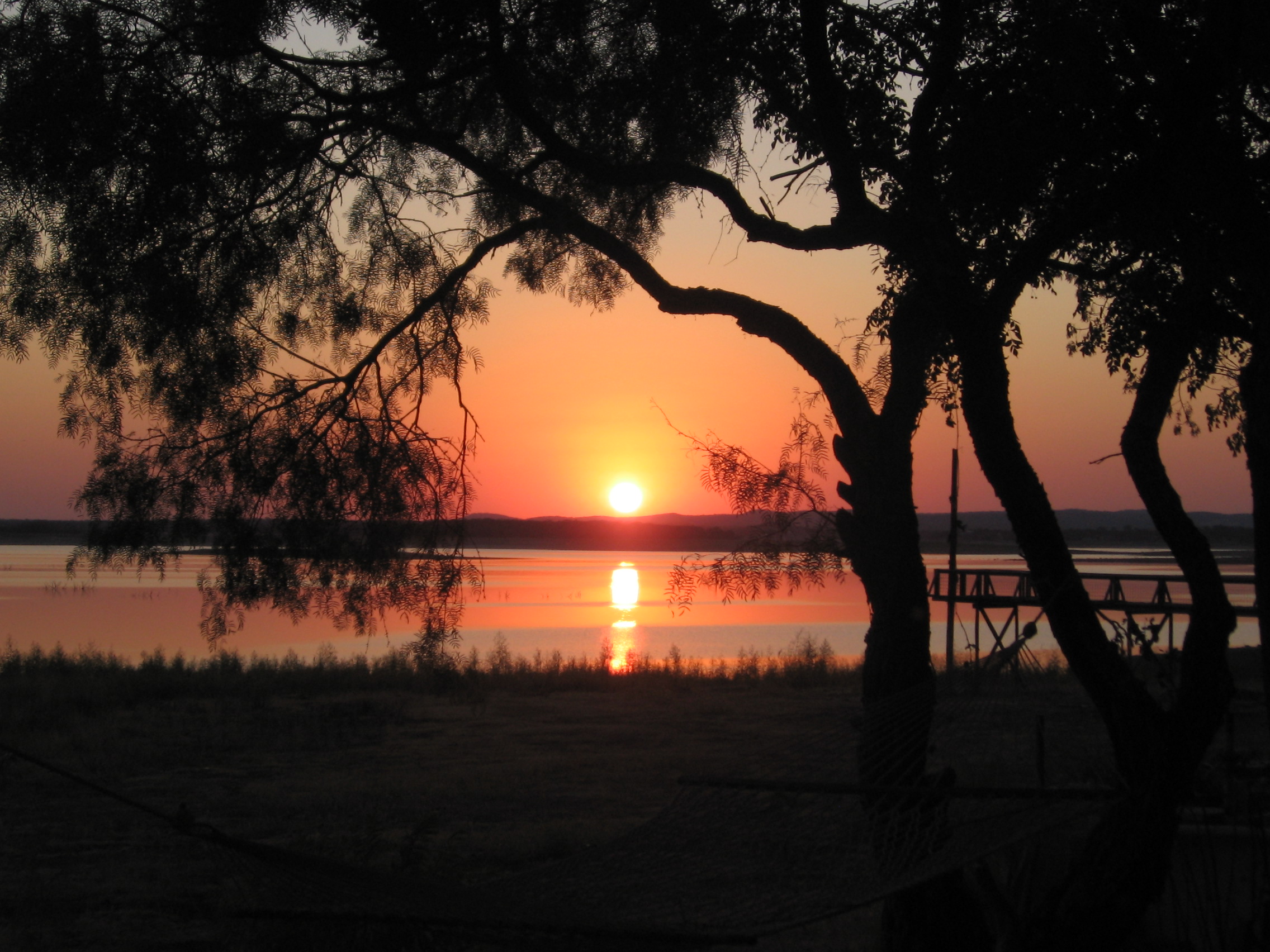
(Picture taken by the author on September 12, 2011 over Lake Buchanan in the Texas Hill Country.)

5 MORE TIPS FOR INDIE WRITERS: Perfecting Your Craft

insultproperly

  1. Avoid adverbs and adjectives whenever possible. For example, rather than saying, He walked slowly say, He strolled or He dragged his feet. Using exactly the right word brings clarity and moves the story along more quickly. Verbs are powerful; use them properly and they strengthen your writing. This contributes to the Show, don’t tell admonition which allows the reader to experience the story as opposed to simply observing it. For example, which of the following is more effective?
    1. “I can’t believe you didn’t tell me that before,” Sally said sadly.
    2. Sally’s eyes filled with tears and her chin quivered with emotion. “I can’t believe you didn’t tell me that before,” she whispered.
  2. Use active voice and subjective case. In other words, say, He threw the ball as opposed to the ball was thrown by him.
  3. Avoid using the same word more than once in a paragraph. This is something my senior lit teacher told us in high school. Of course there are exceptions, but often when you need to repeat a word it’s a signal that you could reword the sentence in a more concise way. For example:
    1. Sharon saw the pantry was empty so she went to the store to get some groceries. When she got to the store she bought bread, eggs, milk and sauerkraut.
    2. Seeing the pantry was empty, Sharon went to the store to buy bread, eggs, milk and sauerkraut.
  4. Flashbacks are often a source of confusion for the writer as well as the reader. The convention is to begin a flashback with past perfect tense, e. We had started that day with the usual cup of coffee. If you want you can use it for the next sentence as well, particularly if it’s going to be a fairly long sequence. Then when the flashback ends, you close it again with past perfect, i.e. I had thought at the time that it was a good idea, but time had shown otherwise. You can also include a simple statement such as He returned to the present….
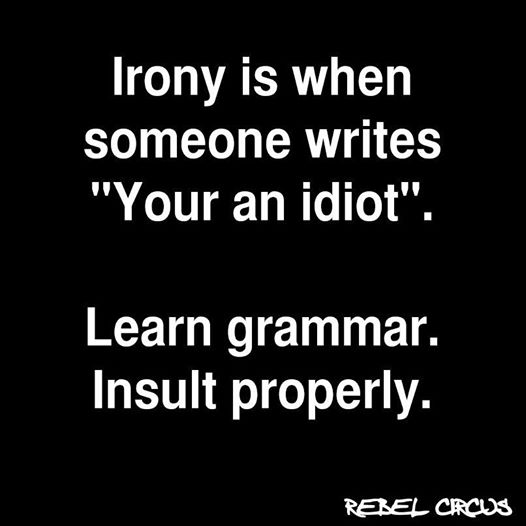
  5. There are numerous words out there that sound the same but have different meanings and are spelled differently which are called homonyms. Examples include here and hear; whole and hole; where and wear; your and you’re; you’ll and yule; there, they’re, and their and a host of others.

In the past few weeks I have seen the word shudder used incorrectly in two different books. The meaning of this word is to shake or vibrate; it is not the word for those planks designed to cover or sometimes decorate windows; that word is shutter like in shut. Another one I’ve seen misused in an otherwise excellent book is the word reign. This word relates to authority, such as “the queen’s reign.” To restrain or limit is the word rein, like the straps used with a bit to control a horse. The most common seem to be your (possessive) and you’re (contraction for you are) and they’re (contraction for they are), there (a place) and their (plural possessive.)

judgeongrammar

Conclusion

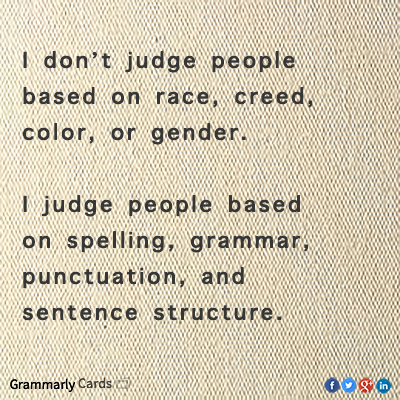
Nothing shows your ignorance as a writer faster than getting these different words mixed up. Many readers won’t know the different, I’m sure, but it’s really our responsibility as writers to provide correct usage and set the example for what appears to be an increasingly semi-literate world.

Of course now that we have autocorrect messing with our best intentions sometimes it’s not entirely your fault if they show up. Furthermore, if your keyboarding skills are advanced your fingers may tend to spell incorrectly from time to time. I have that problem where I know (not no) better but when I really get on a roll (not role) they often turn up (not turnip). That said, you’re (not your) going to have to pay attention and do your (not you’re) best to at least know (not no) the difference between them so you can correct them when you see (not sea) them. If you tend to read over your own mistakes then please, by all means, hire a good editor. Readers who know the difference will appreciate it.

6 MORE TIPS FOR INDIE WRITERS: Handling Thoughts and Dialog

raventype

Even though you’ve read dozens or even hundreds of novels, when you sit down to start writing one yourself you’ll occasionally hit a wall and wonder how it’s done. Here are a few common areas related to capturing thoughts and dialog that writers may not find intuitively obvious:

  1. When a character speaks long enough for it to occupy more than one paragraph without any sort of interruption, including he said, the beginning of the statement has a quotation mark but it doesn’t end with one until the speech ends. This shows the reader that it’s the same person continuing to speak. When he’s done, then you close it out with a quotation mark.
  2. A spoken sentence contained within quotes ends with a comma, not a period, provided you’re going to add he or she said at the end; otherwise use a period. If it’s a question you obviously use a question mark but there is no need to capitalize the he or she when you designate who asked. It’s possible that some word processors in their infinite wisdom may capitalize it for you but this is incorrect.
  3. When a character is thinking something it is usually italicized. However, don’t go on and on with pages of italicized text. This is where viewpoint comes into play in the narrative. For example:
    1. Steve can be such an idiot, Jack thought.
    2. Jack shook his head and rolled his eyes, thinking Steve should shut up and quit acting like such an idiot.
  4. Speaking of italics, they also come in handy for emphasis, such as exclamations you want to give a little extra punch. Don’t use them too often, however, or they lose their effect. Same goes for exclamation points! Use them sparingly, please! Even if a conversation is clearly intense you don’t need to end every sentence with one! It really gets annoying to the reader! See what I mean? It’s better to use narrative and detail so the reader is well aware of the mood in the given scene and therefore knows the tone and emphasis the characters would employ in such a conversation. It’s also seldom justifiable to use more than one!!!!!! Capische?
  5. It is a good idea to remind the reader who’s speaking occasionally, even if it’s a soliloquy by the main character unless there is absolutely no one else in the story. If it’s a dialog it applies, also, unless it’s obvious from the context. This can also be done by inserting names into the dialog itself, such as, “Come on, Jerry, it’s time to go.” Conversely, don’t insult the reader’s intelligence by including it too often. Strive for balance.
  6. Don’t over-use the various synonyms for said; use them sparingly and with deliberate intent to help convey the emotional content and avoid adverbs. For example saying “he shouted” is much more effective than “he said loudly.”  The worst thing you can do is distract from the story by trying too hard to be clever and impress the reader, a practice known as overwriting. If it contributes to the mood such as yelled, whispered, grumbled, explained, muttered, etc. then it is probably okay but go easy on the others. Said, stated, replied, commented, acknowledged, agreed, argued, asserted, opined, and numerous others all have a place but don’t feel you have to use them all within a given conversation. Set the mood then let the characters do the rest with what they actually say.

5 Quick Tips for Indie Writers: Formatting

KONICA MINOLTA DIGITAL CAMERA

One complaint I’ve heard about Indie novels is lack of proper formatting. While this is usually one of the services provided by a publisher, when you’re an Indie you’re on your own unless you want to hire someone to do it for you.  Otherwise such oversights, ignorance or perhaps laziness contribute to a poor reputation which hurts everyone. Here are a few simple formatting tips which will help your work shine:

  1. The first paragraph of a new chapter typically begins with a letter that is larger than the others and called a “dropped cap.” This gives it a more professional appearance. This does not necessarily work for some formats, however, where this larger letter will increase the leading (e. spacing) between the lines. For print format, however, this is the convention.
  2. The first paragraph of a chapter is flush with the left margin; it is NOT indented. This is also true for each new section and provides a stronger visual clue than doubled spacing, which is sometimes inadvertently introduced into ebooks by a page break in the original file that doesn’t necessarily indicate a new scene or viewpoint has begun.
  3. Along these same lines, it’s easier on the reader if you demarcate the end of a section with some sort of indicator whether it’s a few asterisks or some other design.
  4. Speaking of section breaks, when you change viewpoint from one character to another or start a new scene you should start a new section unless the entire book is written in omniscient point of view that switches from one person to the next continually. Remember, however, that you don’t necessarily have to get into everyone’s head to know what they’re thinking. Describing a character’s expression or body language can convey what they’re thinking or feeling just like it does in real life. Clearly is you’re writing in first person you can’t read another person’s thoughts directly and would use visual clues.
  5. Book design refers to the fonts used for chapter headings and text, your paragraph indentation style, line spacing, page number and heading placement, and so forth. Paying attention to these details gives your book a more professional appearance. For ebooks these details don’t show up but if you’re publishing in a print copy they make a tremendous difference as far as presenting your work as that of a professional.

Confessions of a Self-Admitted Reviewer from Hell

Part One

One does not achieve such an honor easily or overnight. As I think about it, I realize that it started when I was a baby. Even before I started to talk I must have been aware of proper speech because my mother told me that I would form the words silently and obviously be thinking about their meaning, yet didn’t say anything out loud until I was three. Since I was an only child it was easy for her to find time to read to me and I was reading myself by the time I went to kindergarten. I remember sitting in first grade wondering why the other kids didn’t know what the words were, probably the first rumbling of that internal editor coming to life.

I learned how to write thank you notes as soon as I could hold a pencil and started writing letters to my favorite aunt about that same time. My mother was a perfectionist (yes, a Virgo, for those of you who know anything about astrology) and thus always corrected my grammar. By the time I reached 6th grade I was writing stories for the enjoyment of my fellow students (science fiction stories, I might add, mostly related to the planet of origin of our teachers).

Around that same time my mother taught me how to use a typewriter. An old manual one that took some serious effort to command the keys. Years later after I graduated from high school I took a typing test at a job agency where I achieved 98 words per minute with two errors. Putting words on paper were obviously never a problem. While everyone else hated essay exams I loved them. Even if I didn’t really know the answer I could B.S. my way through because I’d write so much the teacher probably got tired reading it and would just give me an A. Many years later when I worked as a NASA contractor and did quite a bit of technical writing, one of my bosses nicknamed me “The Mistress of Bullsh*t.” I was flattered, of course.

But there was one catch to all this. I had no confidence, in my writing or anything else. My mother’s criticism permeated every aspect of my life, including the one thing I was good at. It inhibited my creativity for fear whatever I did was not perfect. If you’re a parent, give that some thought. This is not to say that a parent should tell their child that something is prize winning material when it’s clearly not but honesty cuts both ways. If it’s good, say so, and it doesn’t have to be perfect. There’s a difference between coaching and criticism. If you don’t know the difference, then figure it out. I mean it.

Nonetheless, I loved to write, mostly nonfiction and journalistic articles. I worked as a stringer for a small hometown newspaper for a while. I can’t even remember how many newsletters I’ve edited, many of which I created in the first place, back when they were written on a manual typewriter and duplicated on a mimeograph or ditto machine. Some of you probably don’t even know what they were, those early precursors to modern day copy machines. I’m talking about the days before Kinkos much less home laser printers.

If you’re a writer who doesn’t remember those days, give it some thought. Would you have had the patience and perseverance required to retype an entire manuscript? That was business as usual for us old-timers. Yet that is how it used to be. Could that possibly explain the quality of books available back then versus now, when you’re always at risk of purchasing a real dog of a story filled with typos, grammatical faux-pas’, cardboard characters and an inconsistent plot? Might someone consider your book a dog?

Think about it.

(To be continued)